
Modern CLI Tools: Seven Unix Replacements
ls and grep have been on the job since the early 1970s, and it shows — not in reliability,
which is beyond reproach, but in defaults designed for teletypes and terminals eighty columns
wide. Over the last decade a small army of rewrites has asked a fair question: what if the
classics had colours, respected your .gitignore, and didn’t require a man page for basic
use?
Here are the seven replacements actually worth your muscle memory. All free, all open source, all single self-contained binaries, and — with one exception — written in Rust, because of course they are.
The short version
Section titled “The short version”| Instead of | Try | What you get |
|---|---|---|
ls |
eza | Colours, icons, git status, tree view |
cat |
bat | Syntax highlighting, line numbers, git markers |
grep |
ripgrep | Speed, and it skips everything you ignore |
find |
fd | A syntax a human can remember |
cd |
zoxide | Jump to directories by name fragment |
git diff pager |
delta | Diffs you can actually read |
| (everything) | fzf | Fuzzy-find files, history, anything |
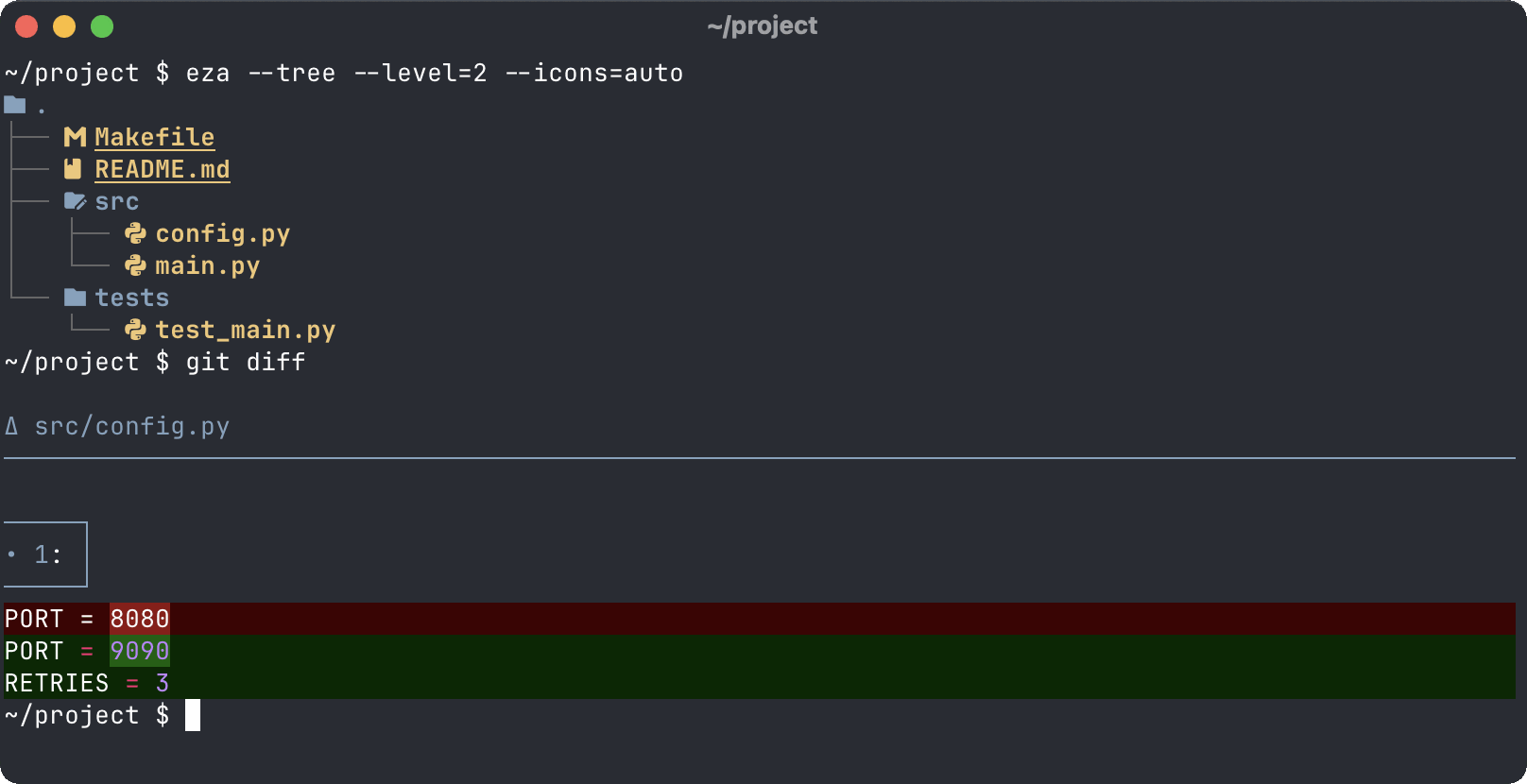
Replaces: ls
exa was the original “modern ls” until development stalled; eza is the community fork that
carried on, because no Rust binary is ever truly allowed to die. It does what ls does, then
keeps going: colours that mean something, icons, a per-file git status column, and a tree view
for when you want the shape of a directory rather than its contents.
eza -l --git --icons=autoeza --tree --level=2Install: brew install eza · sudo dnf install eza · sudo apt install eza on recent
Ubuntu and Debian (older LTS releases: prebuilt binaries on GitHub).
Catch: your distro’s LTS repos may not have it yet, and the icons need a
Nerd Font in your terminal — the same one your
Starship prompt already wants. Write --icons=auto
rather than a bare --icons, too: the flag takes an optional value, so left to its own devices
it will swallow whatever comes next and complain that src/ is not a valid value for it.
Replaces: cat
“A cat clone with wings”, by its own description, and who are we to argue. bat adds syntax
highlighting for a couple of hundred languages, line numbers, git change markers in the
gutter, and automatic paging for long files.
bat src/main.rsThe detail that makes it alias-safe: when its output is piped, bat drops the decorations and
behaves exactly like cat, so cat file | something keeps working even if cat is bat.
Install: brew install bat · sudo apt install bat · sudo dnf install bat.
Catch: Debian and Ubuntu call the binary batcat (a package name clash, long story). One
alias fixes it: alias bat=batcat.
ripgrep
Section titled “ripgrep”Replaces: grep
ripgrep (rg) searches recursively by default, respects your .gitignore, skips hidden files
and binaries, searches in parallel, and is fast enough that your reading speed becomes the
bottleneck. It began life as a showpiece for Rust’s regex engine and ended up in everyone’s
toolbox by being simply, embarrassingly better.
rg "TODO" # everywhere, respecting .gitignorerg "fn main" -t rust # Rust files onlyrg "secret" -uu # include hidden and ignored filesInstall: brew install ripgrep · sudo apt install ripgrep · sudo dnf install ripgrep.
Catch: it is not POSIX grep — the flags differ, and not always harmlessly. Recursion is
the default, and -r has been reassigned to --replace, which takes an argument and will
quietly make off with your search pattern. You’ll still want real grep in your fingers for
other people’s servers. The full ripgrep guide covers the rest of
the flags, and exactly which files it’s skipping when a search comes back empty.
Replaces: find
find is powerful in the way a tax code is powerful, and its syntax was clearly designed by
someone who has never met a human. fd keeps the power and bins the incantation: the pattern is
a regex, the search starts at the current directory, and .gitignore is respected here too.
fd readme # anything matching "readme", below herefd -e md # by extensionfd -t f -x wc -l # run a command on every resultThe -t f there is worth the two characters: without it, fd hands directories to your command
too, and wc has opinions about being asked to read one.
Compare find . -iname "*readme*", which you had to look up just now. Again.
Install: brew install fd · sudo apt install fd-find · sudo dnf install fd-find.
Catch: Debian and Ubuntu strike again — the binary there is fdfind. Same alias trick
applies.
zoxide
Section titled “zoxide”Replaces: cd (mostly)
zoxide watches which directories you visit, then lets you jump to them by fragment: z doc
takes you to your most “frecent” — frequent plus recent, a portmanteau only a tool this useful
gets away with — match. zi opens an interactive picker powered by fzf. After a week it knows
your habits better than you do.
It needs one line in your shell config to hook in:
eval "$(zoxide init zsh)"Install: brew install zoxide · sudo apt install zoxide · sudo dnf install zoxide.
Catch: it only knows where you’ve been since installation, so the first few days feel
unremarkable. Persist. Plain cd keeps working alongside it, and if you’re fully converted,
zoxide init --cmd cd zsh will take over the cd command itself.
Replaces: nothing, and half of everything
fzf is less a tool than a universal solvent for lists: pipe any list into it and you get a
fuzzy, type-to-filter picker. Its shell integration is where it earns the spot here — Ctrl+R
becomes a full-screen fuzzy history search, Ctrl+T inserts a fuzzy-picked file path into
your command line, and Alt+C fuzzy-changes directory.
# ~/.zshrc — shell integration (fzf 0.48 and later)eval "$(fzf --zsh)"vim $(fzf) # the party trick that sells itIf Ctrl+R was the one shortcut you took from our keyboard shortcuts
cheat sheet, this is that keystroke graduating from
party trick to superpower. The one exception to the Rust theme, incidentally — fzf is Go.
Install: brew install fzf · sudo apt install fzf · sudo dnf install fzf.
Catch: the fzf --zsh integration flag needs version 0.48 or newer; older distro packages
ship a key-bindings.zsh file to source instead. Check with fzf --version.
Full guide: fzf: fuzzy finding anything on the command line — the search operators that turn guessing into aiming, preview windows, defaults worth setting once, and the recipes worth stealing.
Replaces: git’s default pager
git diff output has historically been formatted for computers that enjoy punishment. delta
gives it syntax highlighting, line numbers, and n / N to jump between changed files, with
optional side-by-side view for wide terminals. It’s a pager, not a replacement for git itself
— configure once and every git diff, git show and git log -p improves silently.
[core]  pager = delta
[interactive]  diffFilter = delta --color-only
[delta]  navigate = true
[merge]  conflictstyle = zdiff3
Add side-by-side = true under [delta] if your terminal has the width for it. The
conflictstyle line isn’t delta’s at all — it’s git’s, and one of the git settings worth
stealing along with the reason
it’s there.
Install: brew install git-delta · sudo dnf install git-delta · elsewhere, binaries on
GitHub.
Catch: if you already do all your diffing in a GUI tool, this changes nothing about your life. For everyone else it’s the highest ratio of effort to improvement on this page.
Should you alias the originals?
Section titled “Should you alias the originals?”Partly. Aliases only apply to interactive shells — scripts never see them, so nothing breaks there — and both bat and eza detect pipes and behave themselves. These are safe:
alias ls='eza --icons=auto'alias ll='eza -l --git --icons=auto'alias cat='bat'But don’t alias grep to rg or find to fd: the flags differ, sometimes
silently, and one day you’ll paste a
command expecting POSIX behaviour and get a confusing error instead. Type the new names until
they stick. And keep the classics in your repertoire regardless — these tools make your
machines nicer; they don’t excuse you from knowing grep on somebody else’s.
Honourable mentions
Section titled “Honourable mentions”- dust —
duwith a bar chart and a sense of proportion - duf —
df, but readable - btop —
top/htopwith an interface that belongs in a film about hacking - sd —
sedwithout the regex dialect archaeology - hyperfine — benchmarks commands properly, with warmup runs and statistics
- tldr — man pages, but just the three examples you actually wanted
- jq — not a replacement for anything; simply the correct answer to JSON on the command line
- direnv — not a replacement either: environment variables that belong to a project directory rather than whichever tab you typed them into
Where next
Section titled “Where next”That’s the toolbox modernised. For the rest of the setup: a prompt that earns its
keep, the keyboard shortcuts worth
memorising — Ctrl+R included, now with fuzz — and
tmux to keep the whole lot alive when the Wi-Fi refuses
to. And once you’re writing scripts rather than one-liners, bash strict
mode keeps them honest.