
tmux vs Zellij: Which Multiplexer?
tmux has been holding the internet together since 2007, and
the standard criticism of it is not that it is bad. It is that nothing about it is guessable. The
prefix key is a convention you must be told, the split keys are % and " for reasons lost to
history, and the only way in is somebody else’s dotfiles.
Zellij is the most serious attempt yet to fix that, and it fixes rather more than it breaks. It also loses, decisively, on the one axis that matters most to the people who need a multiplexer in the first place.
The short version
Section titled “The short version”| tmux | Zellij | |
|---|---|---|
| Around since | 2007 | 2021 |
| Written in | C | Rust |
| Config | ~/.tmux.conf |
~/.config/zellij/config.kdl |
| How you drive it | One prefix key, then a key | Modes, with an on-screen menu |
| Discoverable? | No | Yes, aggressively |
| Survives a reboot | Only with a plugin | Yes, by default |
| Floating / stacked panes | No | Yes |
| Plugins | Shell scripts, via TPM | WebAssembly |
| On the server already | Almost certainly | Almost certainly not |
If you SSH into machines you do not control, learn tmux. Everything else on this page is Zellij winning, and none of it survives contact with a box that does not have Zellij installed.
Both are installed in the Linux playground, so the comparison can
be made with your own fingers:
The status bar that tells you the keys
Section titled “The status bar that tells you the keys”Start Zellij and the bottom of the screen lists your options. Press Ctrl+P and it lists what
pane mode can do. Press Ctrl+T and it lists what tab mode can do. There is no moment where you
must go and find out; the thing you need is already on screen.
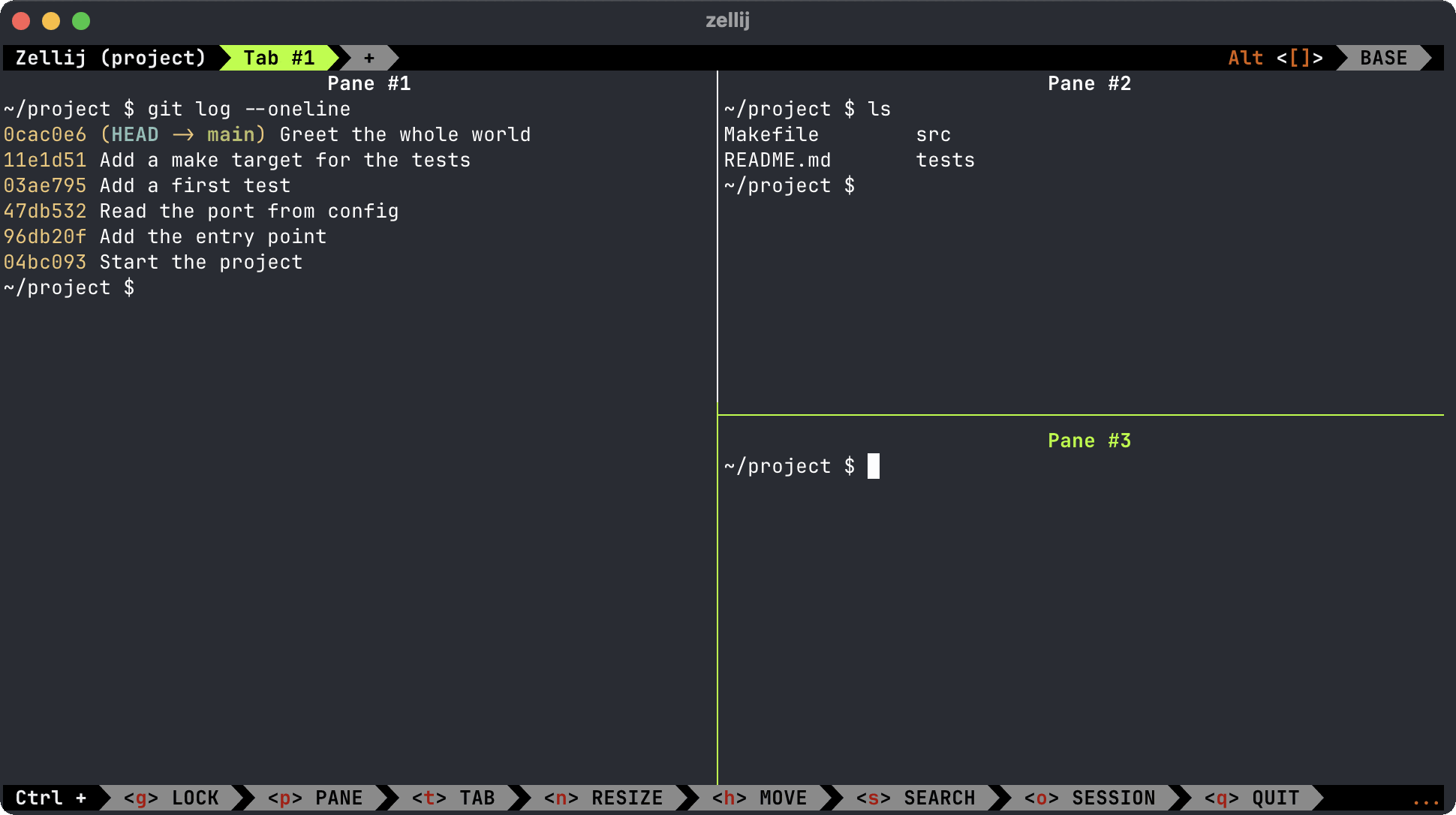
This sounds trivial and is not. It is the difference between a tool you can explore and a tool you
must be taught, and it is why people who bounced off tmux twice get on with Zellij in an
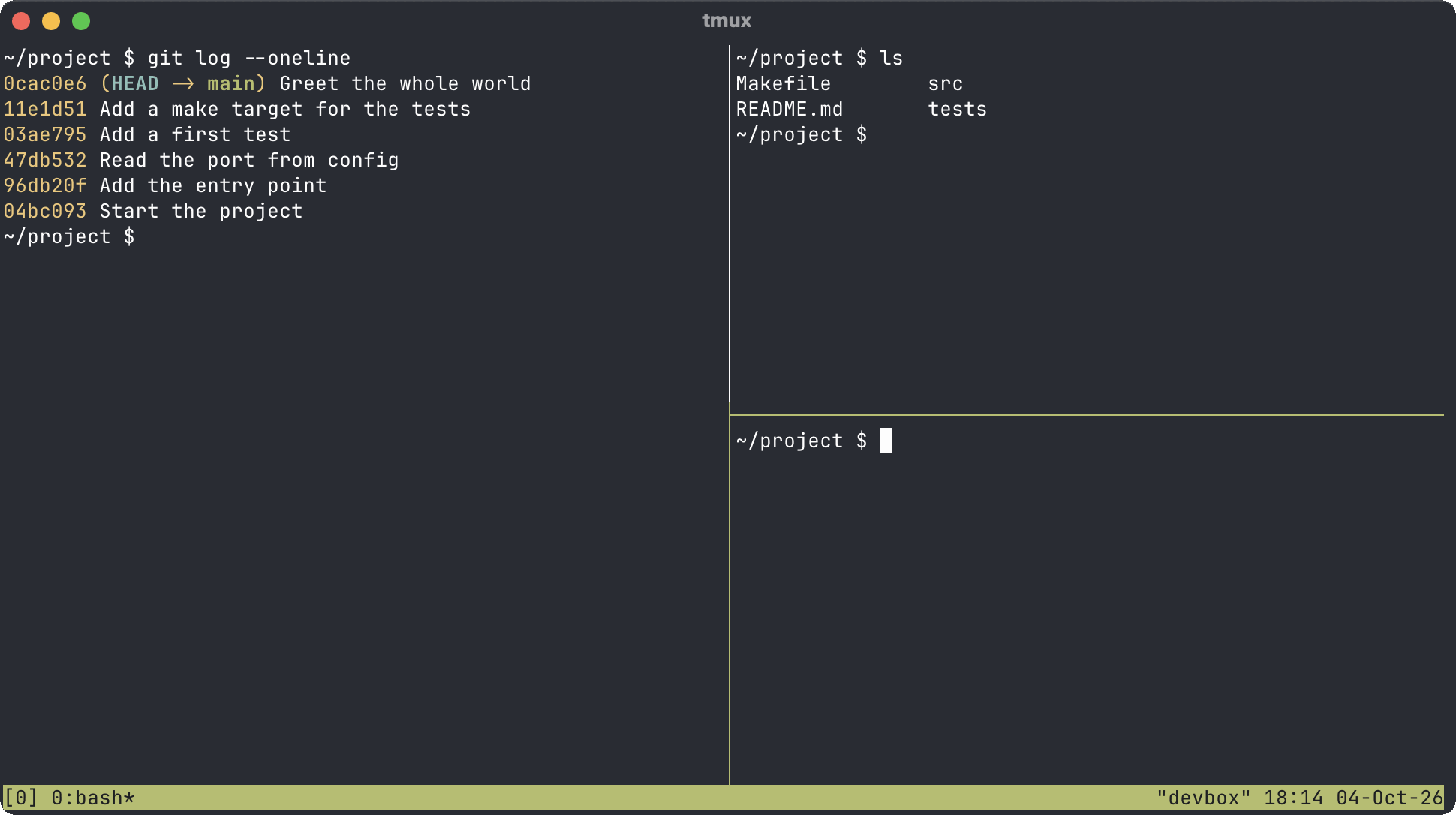
afternoon. The tmux cheat sheet on this site exists precisely because
tmux gives you nothing: prefix ? lists every binding at once, alphabetically, which is a
reference rather than a hint.
Modes versus the prefix
Section titled “Modes versus the prefix”tmux has one modifier: press Ctrl+B, release, then press a key. Zellij instead has modes,
each entered with its own chord and each with its own single-letter bindings:
| Mode | Enter with | For |
|---|---|---|
| Pane | Ctrl+P |
New, close, split, focus, fullscreen, float |
| Tab | Ctrl+T |
New, rename, close, move between |
| Resize | Ctrl+N |
Grow and shrink with h j k l |
| Move | Ctrl+H |
Shuffle panes around the layout |
| Scroll (the bar says SEARCH) | Ctrl+S |
Scrollback, search, edit in $EDITOR |
| Session | Ctrl+O |
Detach, session manager, plugins |
| Locked | Ctrl+G |
Pass everything through to the shell |
| Quit | Ctrl+Q |
Exactly what it says |
Inside a mode, Esc or Enter returns you to normal. It is a genuinely nicer model — related
commands cluster, and the status bar narrates the whole thing.
Sessions that survive a reboot
Section titled “Sessions that survive a reboot”Here is Zellij’s best feature, and it is not the one it advertises.
tmux sessions live in memory. Reboot the machine and they are gone — the one hole in an otherwise excellent persistence story, and the reason tmux-resurrect and tmux-continuum exist as third-party plugins you have to know about, install and configure.
Zellij serialises sessions to disk by default. Tabs, panes, working directories and the commands that were running come back after a reboot, with no plugin and no configuration. It is the single most convincing argument for switching, and most comparisons bury it under the screenshots.
That does mean two kinds of ending, which trips people up:
zellij kill-session work # stop it running; the saved state stayszellij delete-session work # bin the saved state as wellzellij ls # running sessions, and resurrectable oneskill is a pause you can come back from. delete is the real goodbye. zellij da deletes every
saved session at once, for when the list has got out of hand.
Floating and stacked panes
Section titled “Floating and stacked panes”tmux gives you a grid. Panes tile, and that is the deal.
Zellij adds two things the grid cannot do. Floating panes (Ctrl+P then w) hover above the
layout — ideal for a quick git status you do not want to rearrange the screen for — and can be
pinned to stay visible while you work behind them. Stacked panes (Ctrl+P then s) collapse
into a pile showing only the focused one, which keeps six panes usable in a space that would fit
two.
Both are genuinely good, and both are the sort of thing you stop noticing until you go back to tmux and reach for them.
Config: KDL versus thirty years of convention
Section titled “Config: KDL versus thirty years of convention”Zellij configures in KDL, in ~/.config/zellij/config.kdl, and layouts are KDL too — so a
project’s window and pane arrangement is a file you commit alongside the code:
zellij setup --dump-config > ~/.config/zellij/config.kdlThat dumps the entire default config, every option documented in comments, which is a far kinder
starting point than a blank ~/.tmux.conf. Useful defaults are already on: mouse support,
copy-on-select, pane frames, 10,000 lines of scrollback.
tmux’s config is a flat list of commands in its own small language. It is less tidy, but it has one advantage KDL cannot match: every snippet written in the last fifteen years still works. Both files belong in your dotfiles repo either way.
One difference shows up on day one: Zellij reads COLORTERM and gets 24-bit colour right
without being asked, while tmux ignores that variable entirely and wants telling in its config.
Fixing truecolor in tmux covers what each of them actually reads.
Neither can pass on colour the terminal underneath can’t draw, and Terminal.app can’t; the
feature matrices have truecolor support for the other terminals on
macOS and Linux.
Plugins
Section titled “Plugins”tmux plugins are shell scripts, usually installed through TPM, and the ecosystem is enormous and slightly chaotic. Zellij plugins are WebAssembly modules, which means they can be written in any language that targets WASI and run sandboxed — the status bar, tab bar, file explorer and session manager are all plugins, which is a tidy proof of the architecture.
Zellij’s approach is clearly better engineered. tmux’s has fifteen more years of people having already solved your problem. Take your pick.
The remote problem
Section titled “The remote problem”This is the part that decides it, so it gets said plainly.
A multiplexer’s entire purpose is that the session keeps running when your connection does not. That means it has to be on the far end. Not on your laptop — on the server, the container, the jump host, the ancient CentOS box nobody will admit to owning.
tmux is in every distribution’s repositories, is frequently preinstalled, and an eighteen-year-old version will still hold your session. Zellij is a single Rust binary, which is easy to install — right up until the host has no outbound internet, or you have no root, or there are forty of them, or it is someone else’s production machine and you have no business installing anything on it.
So the honest recommendation is split, and annoying:
- Locally, where you control the machine, Zellij is the better tool.
- Remotely, tmux, because it is already there.
Which means learning both, or learning the one that works everywhere. Most people quite reasonably choose the second, and that — not features — is why tmux is still winning.
Resources and maturity
Section titled “Resources and maturity”tmux is C, has been optimised for eighteen years, and costs almost nothing to run. Zellij is a modern Rust application with a WebAssembly plugin runtime and a rendering model that redraws more: heavier on memory and CPU, and noticeable on a small VPS or a Raspberry Pi even if you never see it on a laptop.
Zellij is also still pre-1.0 at 0.45, and behaves like it — rapid development, occasional breaking changes to config and layout formats, and a smaller pool of answers when something goes odd. tmux’s boring stability is a feature that only announces itself when you need it.
Which one?
Section titled “Which one?”- SSH into machines you do not control? tmux. Not close.
- Only ever work locally, and bounced off tmux before? Zellij. It is the more pleasant tool and you will actually keep using it.
- Want sessions back after a reboot without configuring anything? Zellij.
- Want your Ctrl keys left alone? tmux, or Zellij with
default_mode "locked". - Running on something small? tmux.
- Want floating panes and committed layouts? Zellij.
- Want to learn one thing, once, that works everywhere for the next decade? tmux, and the cheat sheet is the shortest path through the bit that puts people off.
Zellij is what a multiplexer would look like if it were designed today, and that is a real compliment rather than a consolation. It is just that “designed today” is not the property you want from the program keeping your deploy alive on a server built in 2019.
Whichever you run, it wants a decent window around it — the terminal emulator roundup covers that, and several of them (kitty especially) do tabs and splits natively, which is worth knowing before you reach for a multiplexer you may not need.