
Ghostty vs iTerm2: Which Mac Terminal?
For fifteen years the answer to “which terminal on a Mac” was iTerm2, and the question was rhetorical. Then Ghostty shipped 1.0 at the end of 2024, arrived fast and native and finished-feeling, and a great many people replaced their terminal for the first time since university.
Most of them were right to. Some of them quietly went back. Here is which group you are in.
The short version
Section titled “The short version”| Ghostty | iTerm2 | |
|---|---|---|
| Age | Public since 2024 | Public since 2010 |
| Licence | MIT, open source | GPLv2, open source |
| Configured by | One text file | A settings app (with an escape hatch) |
| Tabs and splits | Native | Native |
| tmux control mode | No | Yes, and nobody else comes close |
| Images in the terminal | kitty graphics protocol | Its own imgcat |
| Feature surface | Deliberately small | Enormous |
| Platforms | macOS and Linux | macOS, and only ever macOS |
If you use tmux -CC, stop reading and keep iTerm2. If you don’t, Ghostty is very probably the
better terminal, and the rest of this page is the detail.
Speed and startup
Section titled “Speed and startup”Ghostty is faster, and the difference you actually notice is not throughput — it is the launch.
Ghostty opens a window in the time it takes your finger to leave the key. iTerm2 takes a moment
to gather itself, and once it has, it is perfectly quick: its Metal renderer has been GPU-backed
since 2018 and handles a screaming cat of a log file without complaint.
Be suspicious of anyone quoting you a benchmark here. The classic test — how fast can it render a hundred thousand lines nobody will read — measures a thing you do not do. Both of these terminals are faster than your eyes. The honest distinction is that Ghostty feels immediate everywhere, including on the first launch of the day, and iTerm2 feels like an application.
Configuration: a text file versus a settings app
Section titled “Configuration: a text file versus a settings app”This is the real philosophical split, and it decides the argument for most people.
Ghostty is configured by ~/.config/ghostty/config, which is a flat list of key = value lines
with no nesting and no syntax to learn:
theme = catppuccin-mochafont-family = JetBrains Monofont-size = 14window-padding-x = 8macos-option-as-alt = truekeybind = cmd+shift+r=reload_configThat drops straight into a dotfiles repository and appears on the next
machine intact. ghostty +show-config --default --docs prints every option with its
documentation, which is a better reference than most projects’ websites.
iTerm2 keeps its settings in a plist behind a preferences window with roughly a dozen tabs, and the usual complaint is that this makes it unversionable. That complaint is wrong, and worth correcting: Settings → General → Settings has “Load preferences from a custom folder or URL”, which points iTerm2 at a directory you control and saves changes back there. Put that directory in your dotfiles repo and iTerm2 syncs across machines perfectly well.
The flip side is discoverability. Ghostty’s text file requires you to know an option exists before you can set it. iTerm2’s dozen tabs are a menu of everything the terminal can do, and people who have used it for years still find things in there.
tmux: iTerm2’s trump card
Section titled “tmux: iTerm2’s trump card”iTerm2 speaks tmux’s control mode. Run tmux -CC — or tmux -CC attach — and instead of
drawing tmux’s own status bar and borders inside a pane, iTerm2 turns every tmux window into a
real native tab and every tmux pane into a real native split.
The result is a session that survives an SSH drop, a closed lid and a reboot of the client machine, while still having native scrollback, native search, real Cmd+T, and text selection that works like text selection. You get tmux’s persistence without living inside tmux’s interface.
No other terminal matches it. Ghostty does not implement control mode and has no plans to that anyone has committed to. If your work involves long-running remote sessions — and if you are routinely SSHing into things, it does — this single feature is worth more than everything else on this page combined.
If you use tmux the ordinary way, in a pane, drawing its own status line, this is all irrelevant and both terminals are identical for your purposes.
Tabs, splits and the quick terminal
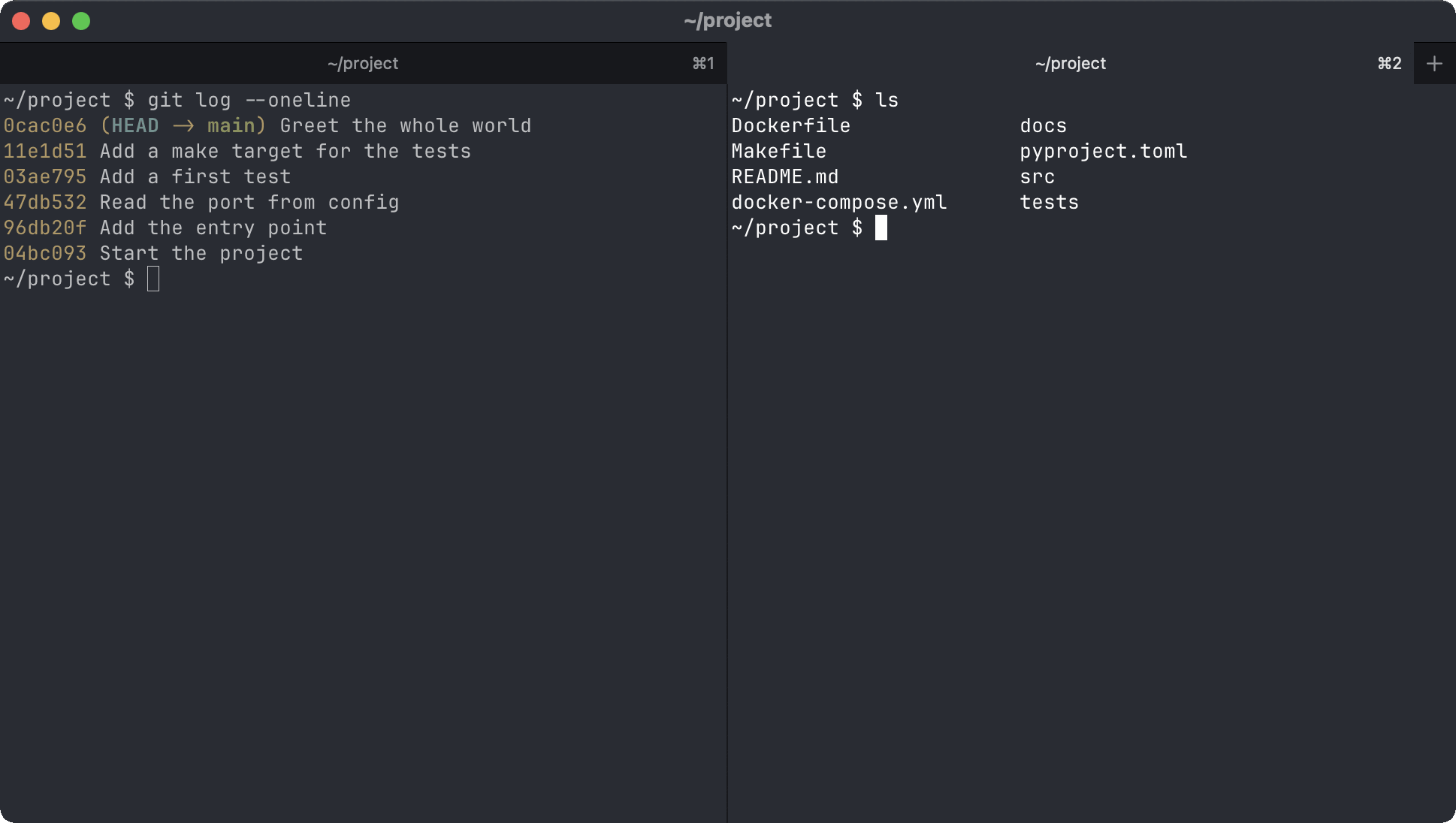
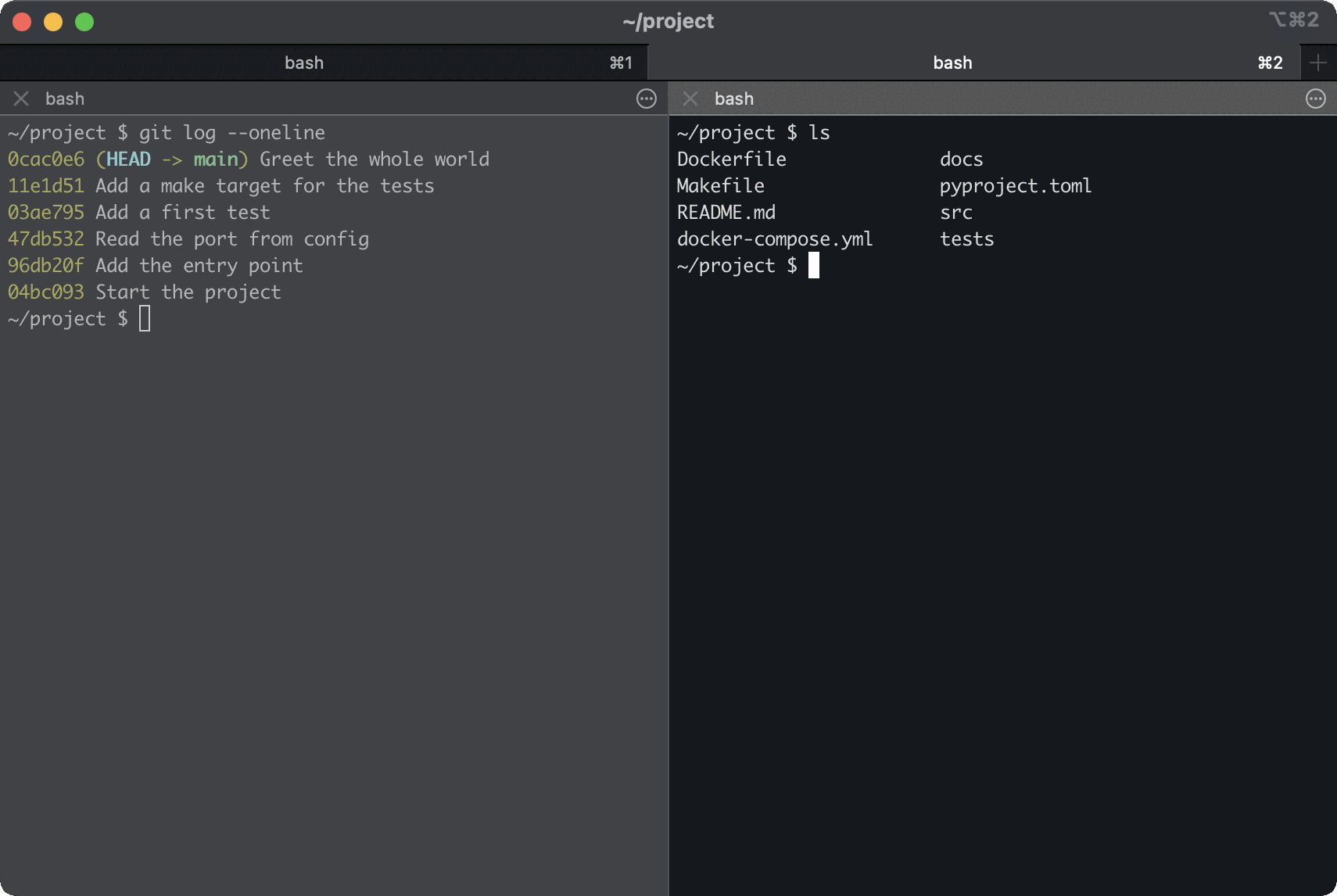
Section titled “Tabs, splits and the quick terminal”Both have native tabs and splits with the same macOS-standard keys: Cmd+T, Cmd+D to split
right, Cmd+Shift+D to split down, Cmd+W to close. The muscle memory transfers in either
direction, which is more than you can say for most software migrations. Our
keyboard shortcut cheat sheet lists the rest.
The same two moves in each — a new tab, then a split — come out looking like this on a fresh install:
Both also do the drop-down terminal — the one bound to a global hotkey that slides over whatever
you were doing. iTerm2 calls it the hotkey window and has had it forever; Ghostty calls it the
quick terminal and you enable it with a keybind line and quick-terminal-position. iTerm2’s
is more configurable; Ghostty’s is one line of config.
What iTerm2 has that Ghostty doesn’t
Section titled “What iTerm2 has that Ghostty doesn’t”This list is long, which is the point. Fifteen years of feature requests landed somewhere.
- Triggers. Regex patterns that fire an action on matching output: highlight errors in red, bounce the dock icon, capture a value, run a command. Nothing else has this.
- Snippets and a searchable command history across sessions.
- Instant replay. Scrub backwards through what the screen looked like, which sounds like a gimmick until the thing you needed scrolled past during a deploy.
- A Python API for scripting the terminal, plus a status bar you assemble from components.
- Broadcast input to several panes at once, a password manager, timestamps in the margin, smart selection rules, and a Toolbelt full of things you will discover in year three.
Ghostty’s answer to most of this is that a terminal should not be doing it. That is a legitimate position and also, occasionally, an inconvenient one.
What Ghostty has that iTerm2 doesn’t
Section titled “What Ghostty has that iTerm2 doesn’t”Shorter list, and the items are structural rather than featural.
- The kitty graphics protocol, which has become the way images get into a terminal.
kitty invented it, Ghostty implements it, and tools
like
yaziandtimgtarget it. iTerm2 has its own olderimgcatprotocol, which works but which fewer tools speak. It will draw a kitty-protocol image, just not at the size asked for. The feature matrix has kitty graphics protocol support in the other terminals, and the rest of what each one renders. - The kitty keyboard protocol, which lets applications distinguish key presses the ancient
terminal encoding cannot — the reason
Ctrl+Enterand friends can finally be bound in a TUI. - Linux. The same terminal and the same config file on your laptop and your workstation. For anyone who works across both this is not a small thing.
- A config file that is genuinely a file, per the section above.
- Sane defaults. Ghostty’s out-of-the-box appearance is good enough that most people never open the config. iTerm2’s defaults are a 2010 time capsule, and the first hour is spent fixing them.
Fonts and rendering
Section titled “Fonts and rendering”Both do ligatures, both do true colour, both do variable font weights properly. Ghostty ships JetBrains Mono embedded along with Nerd Font symbols, so the icons in a Starship prompt render on a fresh install without you installing anything — a genuinely thoughtful default that no other terminal bothers with.
iTerm2 gives you finer-grained control: per-profile fonts, separate non-ASCII font settings, minimum contrast, and thin-stroke rendering options that matter on a non-Retina display. If you have opinions about which typeface you stare at all day, iTerm2 has a settings panel for each of them.
The AI question
Section titled “The AI question”Warp made AI-in-the-terminal a category, and both of these have responded by not doing very much, which is the correct response. iTerm2 has an optional AI integration that is opt-in and requires your own API key. Ghostty has none and has shown no interest in acquiring one.
If you want the terminal to be doing the thinking, neither of these is your answer — that is Warp’s pitch, and it is a genuinely different product rather than a worse version of these two.
Which one?
Section titled “Which one?”- Use
tmux -CC? iTerm2. It is not close, and no amount of Ghostty being nicer to configure changes it. - Work on Linux as well as macOS? Ghostty, for the one config file that works on both.
- Want it to be good without a setup afternoon? Ghostty.
- Want triggers, instant replay, a status bar and a Python API? iTerm2, and you already knew.
- Keep your config in git and review the diffs? Ghostty, comfortably — though iTerm2’s custom preferences folder is a real answer if that is your only objection.
- Genuinely undecided? Install Ghostty. It is free, it takes a minute, and the config file is small enough that abandoning it costs nothing. iTerm2 will still be there, exactly as it was.
The unglamorous truth is that iTerm2 remains excellent, and “the incumbent is still very good” is a worse headline than it deserves. Ghostty wins on feel, on defaults and on portability. iTerm2 wins on depth, and on the one integration that a certain kind of remote worker cannot give up.
If neither appeals, the argument continues elsewhere: Alacritty and kitty are having a different one about how much a terminal should do at all, and the full roundup covers Warp, WezTerm and Windows Terminal besides.