
Alacritty vs kitty: Speed, Tabs, Ligatures
These two get compared constantly and for the wrong reason. Both are GPU-accelerated, both are configured from a plain text file, both are beloved by people who consider a settings panel a personal failing — so the comparison usually collapses into an argument about which renders faster.
That argument is a dead end. They are both faster than you. The actual question is how much work you think a terminal emulator should be doing, and on that the two projects could not disagree more politely.
The short version
Section titled “The short version”| Alacritty | kitty | |
|---|---|---|
| Written in | Rust | Python and C |
| Config | alacritty.toml |
kitty.conf |
| Tabs and splits | None, on principle | Tabs, splits and layouts |
| Ligatures | No | Yes, with the best control anywhere |
| Images | No | Yes — it invented the protocol |
| Extras | Vi mode, search, hints | Kittens: diff, ssh, icat, hints, themes |
| Windows support | Yes | No, and none planned |
Sets TERM to |
alacritty |
xterm-kitty |
Short version of the short version: if you already run tmux, Alacritty is a clean, fast frame around it. If you’d rather not, kitty does the multiplexing itself and throws in a diff viewer.
Speed: the argument that isn’t
Section titled “Speed: the argument that isn’t”Alacritty’s README has claimed “the fastest terminal emulator in existence” for years. kitty’s author has published benchmarks disputing it. Both sets of numbers are real, both were measured on tests neither project’s users perform, and the winner flips depending on whether you measure raw throughput, latency to first paint, or scrolling with a large scrollback.
The practical position after using both: you cannot tell them apart. Where you can tell them apart is memory — Alacritty is leaner per window, which shows up if you keep a dozen open — and startup, where Alacritty’s single Rust binary beats kitty’s Python launch by a margin somewhere between “measurable” and “who cares”.
Pick on features. The speed question was settled by hardware years ago.
Tabs and splits, or the deliberate absence of them
Section titled “Tabs and splits, or the deliberate absence of them”Alacritty has no tabs and no splits, and this is not a roadmap item. The project’s position is that window management is the job of your window manager or your multiplexer, and that a terminal emulator that grows tabs is a terminal emulator that has stopped being a terminal emulator. You are expected to pair it with tmux, and it is entirely unmoved by your feelings on the matter.
It does do multiple windows — alacritty msg create-window spawns another in the same process,
which is cheaper than a second instance — but a window is not a tab and it knows it.
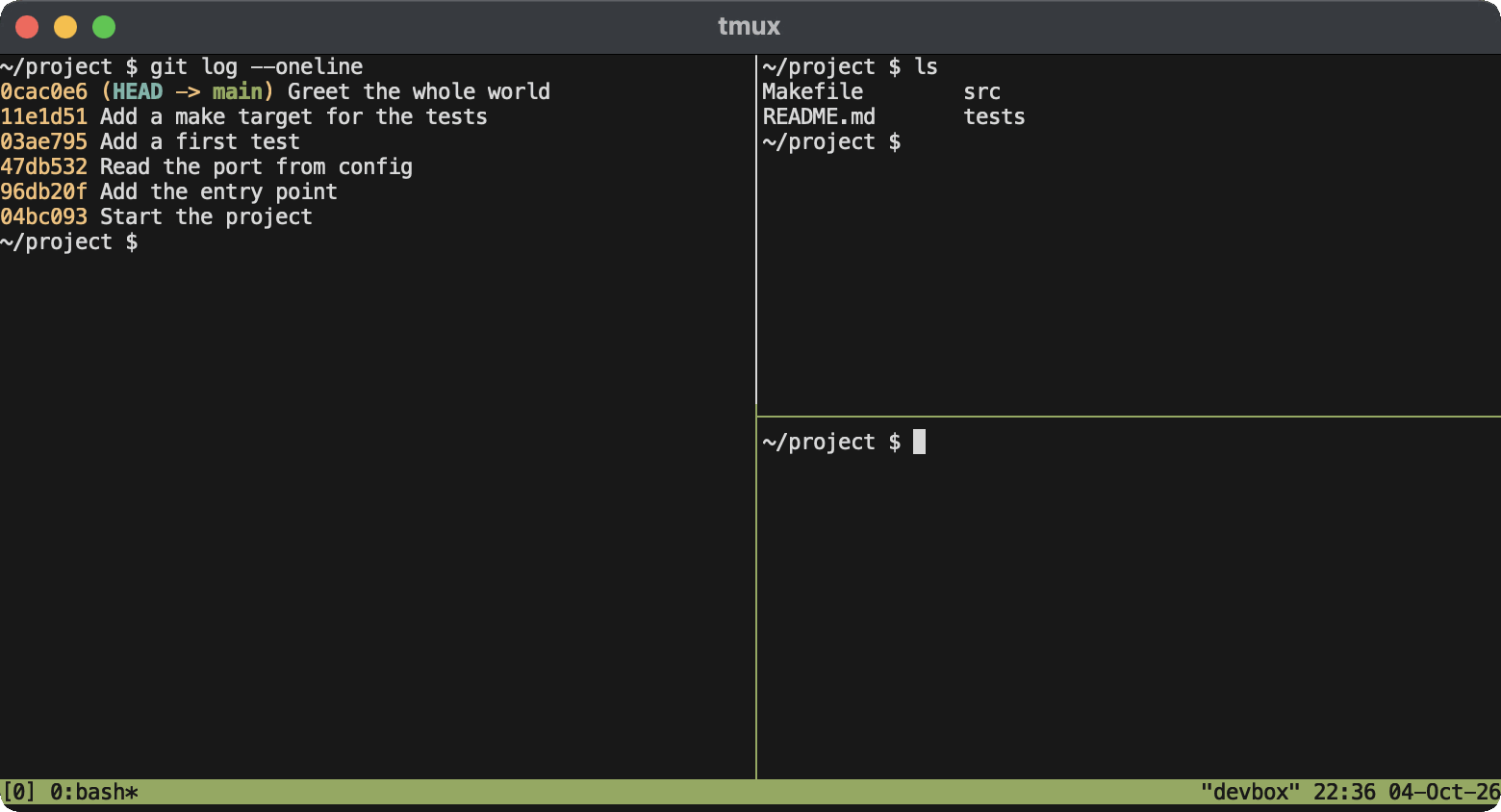
kitty takes the opposite view: tabs, splits (“windows”, in its vocabulary) and switchable layouts,
all keyboard-driven, all configured in kitty.conf.
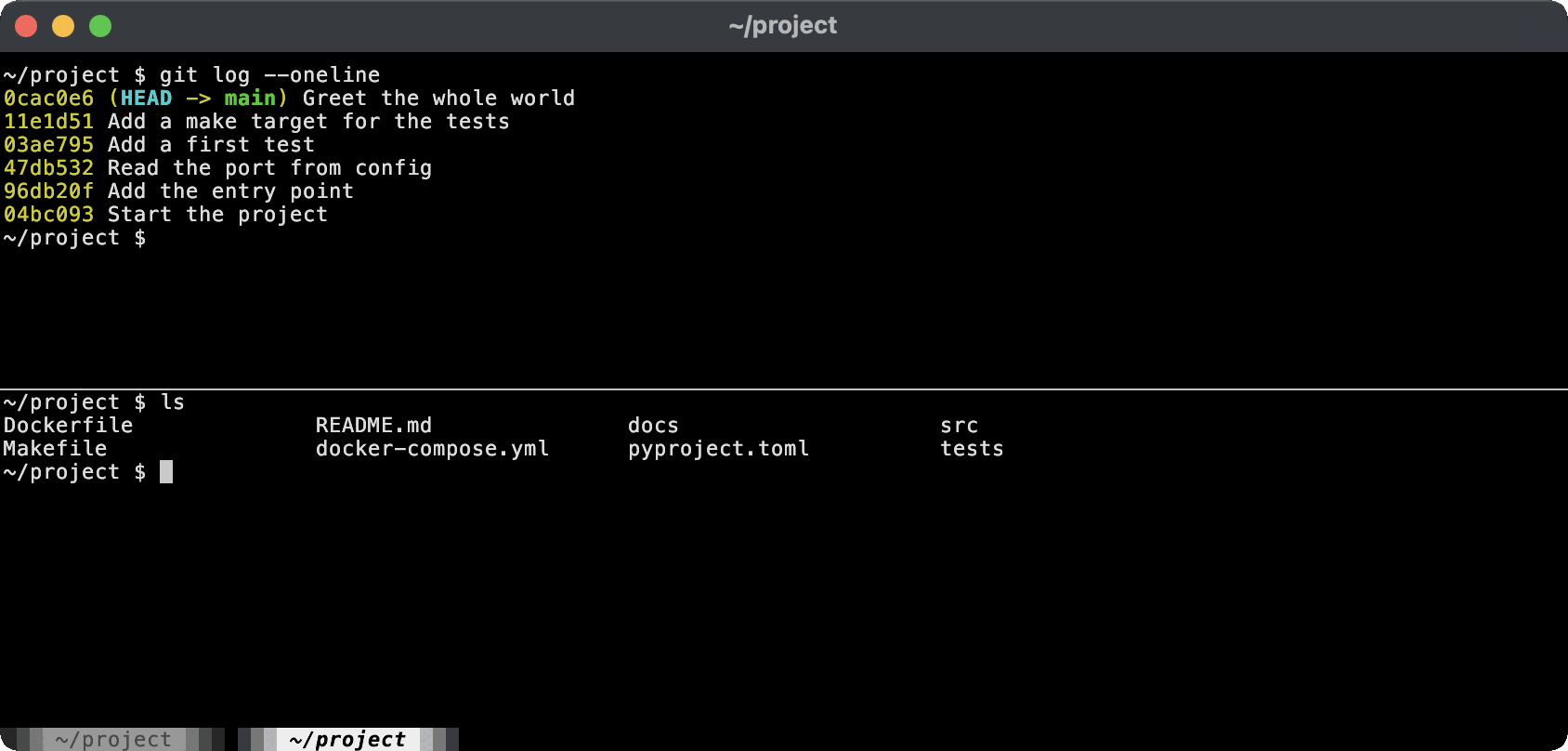
| Action | kitty default |
|---|---|
| New tab | Ctrl+Shift+T |
| New split | Ctrl+Shift+Enter |
| Next layout | Ctrl+Shift+L |
| Move between splits | Ctrl+Shift+arrow |
| Open scrollback in your pager | Ctrl+Shift+H |
That last one is quietly the best feature in either terminal: it pipes the entire scrollback into
less — or Vim, or whatever you name in scrollback_pager — so searching back through output
uses an editor you already know rather than a bespoke terminal mode.
So: kitty replaces tmux for local work. It does not replace it for remote work, because persistence across a dropped connection is a thing only a multiplexer on the far end can give you, and no amount of local tabs will save a session when the train enters a tunnel.
Ligatures: the one genuine dealbreaker
Section titled “Ligatures: the one genuine dealbreaker”Alacritty does not render programming ligatures. Not “not yet” — it is a standing design decision tied to how it does font shaping, and the issue thread requesting it is old enough to vote.
If you have picked out a font with ligatures — Fira Code,
JetBrains Mono, Cascadia Code, Iosevka with the right variant — Alacritty will render != and
=> as the two separate characters they actually are. Plenty of people prefer that. If you are
not one of them, the comparison ends here and kitty wins by default.
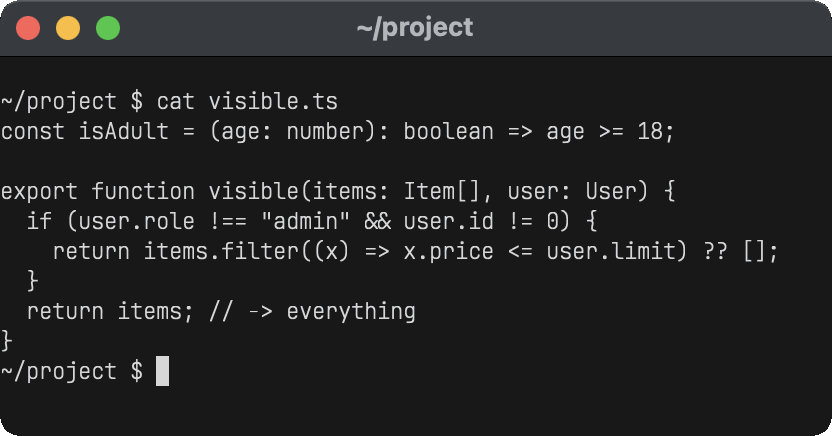
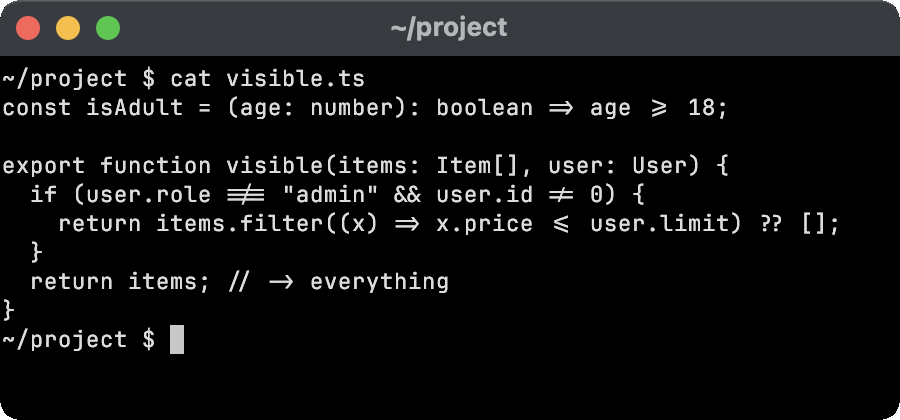
kitty’s handling is the best in the business, and it is one line:
disable_ligatures cursorLigatures everywhere, except on the line the cursor is sitting on. You get the pretty arrows while reading and the honest characters while editing, which solves the actual complaint people have about ligatures rather than arguing with it.
Kittens: what batteries-included buys
Section titled “Kittens: what batteries-included buys”“Kittens” are small helper programs that ship with kitty and do things a terminal normally cannot. The ones that earn their place:
kitten icatputs real images in the scrollback, using the graphics protocol kitty invented — now implemented by Ghostty and targeted by tools likeyazi,timgand matplotlib backends. Alacritty draws no images by any protocol, and stumbles on combined emoji too. The feature matrix lays out image and emoji support in both terminals side by side, and the Linux matrix shows both behaving the same there, apart from Alacritty picking up a black-and-white thumbs up from Ubuntu’s fonts.kitten diffis a genuinely good side-by-side diff viewer, with syntax highlighting and image diffing, which you get for free having installed a terminal.kitten sshcopies your terminfo and shell integration to the remote host, so the session behaves like the local one. See the next section for why this exists.kitten hintsgrabs URLs, paths, hashes and line numbers off the screen by keyboard.kitten themesbrowses and applies several hundred colour schemes, live.
Alacritty’s equivalent list is short but not empty: a Vi mode (Ctrl+Shift+Space by default)
for selecting and copying text entirely from the keyboard, regex search through the
scrollback, and configurable hints for opening matched text. That covers the genuinely
terminal-shaped problems and stops. Everything else, in the Alacritty worldview, is a program you
should install separately — and the
modern CLI starter pack is largely a list of the programs in
question.
The TERM problem, which both of them have
Section titled “The TERM problem, which both of them have”kitty’s most-cited flaw is that it sets TERM=xterm-kitty, and a server without that terminfo
entry hands you a shell that cannot clear its own screen, redraw a line, or run htop without
producing modern art.
What gets said less often is that Alacritty has exactly the same problem. It sets
TERM=alacritty, and that entry is missing from plenty of long-lived servers too. Neither project
is being unreasonable — both terminals genuinely support capabilities xterm-256color does not
describe — but both will bite you on an unprepared host.
The difference is the fix:
- kitty ships
kitten ssh, which copies the terminfo across for you. Aliassshto it and the problem disappears permanently. - Alacritty expects you to install its terminfo on the remote host yourself, or to set
TERM=xterm-256colorand accept the lost capabilities.
If you administer machines you do not control, that difference is worth more than it sounds. Wire
the fix into your SSH config once and stop thinking about it, or post your
terminfo entry ahead of you with infocmp -x | ssh host 'tic -x -' — the guide to TERM and
truecolor has the whole procedure, and the rest of what TERM
quietly decides.
Configuration
Section titled “Configuration”Both are text files, both go straight into a dotfiles repository, and both are pleasant.
Alacritty uses TOML, which means structure, types and an actual specification:
[font]size = 14
[font.normal]family = "JetBrains Mono"
[window]padding = { x = 8, y = 8 }opacity = 0.95
kitty uses its own flat key value format — no quotes, no sections, one directive per line:
font_family JetBrains Monofont_size 14window_padding_width 8background_opacity 0.95include ./theme.confkitty’s include is the better idea of the two: split a theme out, swap it, keep the rest. TOML
has no include, so an Alacritty config is one file or nothing.
Platforms
Section titled “Platforms”Alacritty runs on macOS, Linux, BSD and Windows. kitty runs on macOS and Linux, and a Windows build is not planned — the answer for Windows users is WSL, or Windows Terminal, which is genuinely good.
If any part of your week happens on Windows and you want one terminal everywhere, that decides it on its own.
Which one?
Section titled “Which one?”- Already living in tmux? Alacritty. You do not need kitty’s tabs, and the leanest possible frame around a multiplexer is exactly what Alacritty is for.
- Want ligatures? kitty. Alacritty will not do it.
- Want images, a diff viewer and
kitten sshthrown in? kitty, obviously. - On Windows, or want one terminal across Windows and Linux? Alacritty.
- Like a config file with types and a spec? Alacritty’s TOML. Like
includeand live theme switching? kitty’s. - Want as little terminal as possible between you and the shell? Alacritty, and enjoy it.
The honest summary is that kitty is the more capable program and Alacritty is the more disciplined one, and which of those is a compliment depends entirely on you.
Neither is a macOS-native app, which is a different axis again — Ghostty and iTerm2 are arguing about that one. The full roundup has Warp, WezTerm and Windows Terminal as well, and once you have picked, the font and the prompt are the two settings that change how it feels the most.